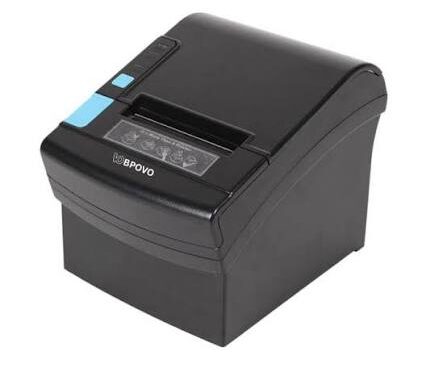
Printing speed and consistent performance are important requirements for receipt printers used in retail stores, restaurants, supermarkets, and other commercial environments. During busy operating hours, slow printing can increase customer waiting times, interrupt employee workflows, and reduce the efficiency of checkout operations. Businesses therefore look for printers that can produce clear receipts quickly while maintaining dependable performance.
Improving printer performance involves more than increasing the speed of the printhead. Manufacturers must consider electronic processing, mechanical design, paper handling, firmware, connectivity, and thermal management. An experienced Receipt Printer Manufacturer evaluates these elements together to develop equipment that can handle different transaction volumes and operating conditions.
1. Improving Thermal Printhead Technology
The thermal printhead is one of the most important components affecting receipt printer speed and output quality. It contains heating elements that create text and graphics on heat-sensitive paper.
Manufacturers research printhead designs to improve heat distribution, response time, and printing consistency. Better control of the heating elements can help the printer produce clear output without unnecessary delays.
Important development areas include:
- Heating element arrangement.
- Thermal response time.
- Printhead resolution.
- Heat distribution.
- Electrical control accuracy.
- Resistance to repeated printing cycles.
A well-designed printhead helps balance printing speed with readability and component durability.
2. Optimizing Printing Resolution
Printing resolution determines how much detail a printer can reproduce. It is commonly measured in dots per inch (DPI), with higher resolution allowing finer text and graphic details.
However, higher resolution does not automatically mean faster printing. The printer must process and activate the required number of heating elements while maintaining consistent output.
Manufacturers evaluate resolution according to the intended application. Standard transaction receipts may not require the same level of detail as receipts containing small graphics, dense text, or complex codes.
Selecting an appropriate resolution helps balance image clarity, processing requirements, and printing performance.
3. Increasing Printhead Processing Efficiency
The printhead operates through electronic signals that determine when individual heating elements activate. Efficient control of these signals can improve the way the printer processes incoming print data.
Manufacturers refine control circuits and printing algorithms to coordinate heating elements more effectively.
This work may involve improving data transfer between the main control board and printhead, reducing unnecessary processing steps, and maintaining accurate timing.
These improvements can support consistent printing at the model’s rated speed, particularly when handling frequent transaction requests.
4. Developing Faster Paper-Feeding Mechanisms
Printing speed also depends on how efficiently paper moves through the printer. A high-performance printhead cannot deliver its full potential if the paper-feeding system is slow or inconsistent.
Manufacturers improve paper-handling mechanisms through mechanical design, motor selection, and roller optimization.
Development considerations include:
- Motor response and control.
- Roller grip and alignment.
- Paper path design.
- Feeding accuracy.
- Resistance to paper slipping.
- Consistent movement during repeated printing.
A reliable feeding system helps maintain smooth operation and reduces interruptions caused by paper jams or misalignment.
5. Optimizing Printer Motors
The motor controls important mechanical operations, including paper movement and, in some models, cutter mechanisms. Its performance can influence how quickly the printer completes a transaction.
Manufacturers evaluate motor speed, torque, power consumption, and operating consistency when selecting components.
Motor control systems may also be refined to coordinate paper movement with printhead activity. This helps prevent mechanical operations from becoming a bottleneck during printing.
The appropriate motor depends on the printer’s design, paper requirements, and intended workload.
6. Improving Firmware and Data Processing
Firmware plays an important role in determining how efficiently a receipt printer handles print commands. It coordinates communication, data processing, paper movement, and printing operations.
Manufacturers develop and test firmware to reduce unnecessary processing delays and improve command handling.
Common development areas include:
- Faster interpretation of printing commands.
- Efficient processing of text and graphics.
- Improved buffer management.
- Better handling of large print jobs.
- More accurate error detection.
- Optimized communication with connected devices.
Efficient firmware can help a printer respond more consistently to transaction requests and support smoother operation.
7. Increasing Data Buffer Efficiency
A printer’s data buffer temporarily stores information received from a connected POS system before or during printing.
Buffer management is important because the printer must receive and process print data without creating unnecessary interruptions.
Manufacturers evaluate memory capacity, data transfer rates, and processing behavior to determine whether the printer can handle typical transaction workloads.
Improved buffer management can be particularly useful when receipts contain logos, graphics, barcodes, or detailed transaction information.
The appropriate buffer design depends on the printer’s processing architecture and intended applications.
8. Improving Connectivity and Communication Speed
Receipt printers rely on communication interfaces to receive printing instructions from POS terminals, computers, tablets, or other devices.
Slow or unstable communication can delay printing even when the printer itself has a fast mechanical and thermal system.
Manufacturers develop and test different connectivity options, including:
- USB: Supports direct communication with compatible devices.
- Ethernet: Enables network-based printing.
- Serial: Supports selected traditional POS systems.
- Bluetooth: Allows wireless communication with compatible devices.
- Wi-Fi: Supports printing through compatible wireless networks.
Reliable communication helps reduce connection-related delays and allows the printer to respond more consistently to incoming requests.
9. Managing Heat During Continuous Printing
Thermal printing generates heat at the printhead. During frequent or continuous printing, temperature management becomes important for maintaining output quality and protecting components.
Manufacturers test thermal behavior under different workloads to understand how heat affects printing performance.
Development work may involve refining heating control, evaluating thermal materials, and improving the arrangement of internal components.
Some printers also include protective mechanisms that adjust operation when temperatures exceed specified limits. These controls help protect the equipment, although they may affect printing speed under certain conditions.
10. Reducing Mechanical Friction and Wear
Mechanical friction can affect the movement of paper and the performance of moving components. Over time, wear may also contribute to inconsistent feeding or increased maintenance requirements.
Manufacturers examine component materials, roller surfaces, mechanical tolerances, and assembly accuracy to improve movement within the printer.
Research may focus on:
- Roller material selection.
- Accurate component alignment.
- Smooth paper path design.
- Suitable mechanical clearances.
- Durable moving parts.
- Consistent assembly procedures.
Reducing unnecessary friction can support smoother operation and help maintain performance over repeated use.
11. Improving Automatic Cutter Performance
Many receipt printers include automatic cutters that separate printed receipts. Cutter operation contributes to the total time required to complete a printing cycle.
Manufacturers evaluate blade movement, cutting accuracy, motor control, and paper positioning to improve cutter performance.
Testing may include repeated cutting cycles and inspections for incomplete cuts or paper tearing.
A reliable cutter can reduce manual handling and help employees process transactions more efficiently. However, the actual effect on overall speed depends on the printer’s design and whether cutting occurs automatically after each receipt.
12. Designing Printers for Different Workloads
Not all businesses have the same printing requirements. A small retail store may process occasional transactions, while a supermarket or restaurant may print receipts continuously during peak periods.
Manufacturers develop different models to accommodate these operating conditions.
For high-volume environments, important features may include faster rated printing speeds, dependable paper feeding, efficient thermal management, and durable mechanical components.
For smaller businesses, compact dimensions, straightforward installation, and balanced performance may be more important than maximum speed.
Matching the printer design to the intended workload helps businesses avoid purchasing equipment that is either unsuitable or unnecessarily advanced.
13. Using Advanced Circuit Board Design
The main circuit board coordinates the printer’s electronic operations. Its design influences data processing, communication, power management, and printhead control.
Manufacturers use electronic engineering and circuit design tools to improve component placement and signal performance.
Potential development areas include:
- More efficient control circuits.
- Improved data communication pathways.
- Stable power distribution.
- Suitable memory configurations.
- Better component integration.
- Reduced electronic interference.
A well-designed circuit board helps the printer coordinate its functions and maintain stable performance during normal operation.
14. Applying Automated Manufacturing Processes
Manufacturing consistency can influence how reliably printers perform after assembly. Variations in component placement, soldering, or mechanical alignment may affect operation.
Automated production equipment helps manufacturers improve repeatability in selected manufacturing stages.
Examples include automated circuit board assembly, surface-mount technology, and automated optical inspection.
These systems can help improve component placement accuracy and identify certain assembly defects. Skilled technicians and functional testing remain important for verifying the completed printer.
15. Conducting Repeated Performance Testing
Manufacturers need to verify that a printer performs consistently rather than relying only on a single demonstration.
Performance testing may involve printing different receipt formats, operating the device repeatedly, and checking how it responds under different conditions.
Important evaluation areas include:
- Actual printing speed.
- Text and graphic clarity.
- Paper-feeding consistency.
- Cutter operation.
- Data communication.
- Temperature behavior.
- Continuous printing performance.
These tests help identify performance limitations and provide information for further engineering improvements.
16. Improving Barcode and QR Code Printing
Modern receipts may include barcodes and QR codes for product identification, payment verification, loyalty programs, and digital services.
Printing these elements requires suitable resolution, accurate positioning, and reliable data processing.
Manufacturers improve barcode and QR code performance through printhead control, firmware development, and compatibility testing.
The objective is to produce codes that remain readable by appropriate scanners and mobile devices.
Businesses should also ensure that their POS software generates suitable code formats and sizes for the selected printer.
17. Optimizing Power Management
Power management affects how efficiently a receipt printer operates. The power supply must provide stable electrical energy to the printhead, motors, control board, and other components.
Manufacturers evaluate power requirements and refine electronic systems to support reliable operation.
Development activities may include improving power regulation, reducing unnecessary consumption, and optimizing standby behavior.
For portable receipt printers, battery efficiency is especially important because it influences how long the device can operate between charges.
18. Making Maintenance Easier
Printer performance can decline when equipment is not maintained properly. Dust, paper residue, worn rollers, and unsuitable consumables may contribute to printing problems.
Manufacturers can improve usability by designing printers with accessible components, straightforward paper loading, and clear maintenance instructions.
Practical design considerations include:
- Easy access to the paper compartment.
- Simple roll replacement.
- Accessible cleaning areas.
- Clear error indicators.
- Replaceable components where appropriate.
- User-friendly troubleshooting guidance.
Easy maintenance helps employees address routine issues and reduces avoidable interruptions.
19. Incorporating Customer Feedback Into Performance Improvements
Customer feedback provides manufacturers with information about how receipt printers perform in actual business environments.
Users may report slow printing during peak periods, connectivity interruptions, paper-feeding difficulties, or problems with particular POS applications.
Manufacturers can investigate these reports and determine whether improvements are needed in hardware, firmware, or product documentation.
Feedback from retailers, restaurants, distributors, and technical support teams can help identify recurring issues that may not appear during controlled laboratory testing.
20. Future Developments in Receipt Printer Performance
Receipt printer technology will continue to evolve as businesses adopt more advanced POS systems and connected devices.
Future development may focus on more efficient printheads, improved wireless communication, smarter power management, enhanced firmware, and better integration with cloud-based business platforms.
Manufacturers may also explore improved diagnostic functions that help users identify connection or hardware problems more quickly.
These developments could support more efficient transaction workflows while maintaining the reliability expected from commercial printing equipment.
Conclusion
Receipt printer manufacturers improve printing speed and performance through coordinated developments in printhead technology, paper-feeding systems, motors, firmware, electronic circuits, and connectivity. They also use thermal testing, mechanical evaluation, automated production, and customer feedback to identify opportunities for improvement.
For businesses choosing receipt printers, it is important to consider more than the advertised printing speed. Print quality, connectivity, workload suitability, paper handling, and long-term reliability all contribute to overall performance. Selecting equipment that balances these factors can help businesses maintain efficient checkout operations and dependable daily printing.