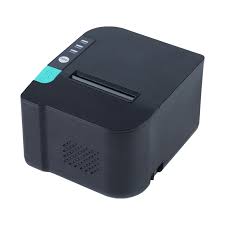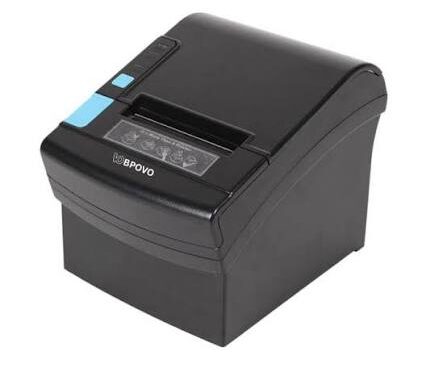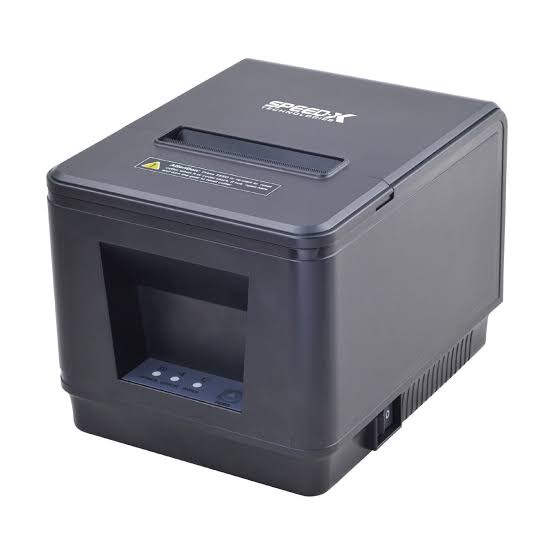
Thermal printing technology has become an essential part of many business operations because it provides a practical way to produce receipts, labels, tickets, and identification documents. Retail stores, restaurants, warehouses, healthcare facilities, and transportation companies use thermal printing equipment to handle everyday documentation efficiently. However, not all thermal printers work in the same way, and choosing the right type depends on the material being printed and the intended application.
A Thermal Printer uses heat to create text, graphics, barcodes, or other information on compatible printing materials. Some models print directly onto heat-sensitive paper, while others use heat to transfer ink from a ribbon. Understanding the differences between these technologies can help businesses select suitable equipment, manage operating costs, and achieve consistent printing results.
Understanding Thermal Printing Technology
Thermal printers use a heated printhead to create an image on paper or another compatible material. The printer receives digital instructions from a computer, POS terminal, or other connected device and converts them into a pattern of heating elements.
The printing mechanism depends on the type of thermal technology being used. In direct thermal printing, heat activates a special coating on the paper. In thermal transfer printing, heat transfers ink from a ribbon onto the printing surface.
Both methods offer advantages, but they are designed for different printing requirements. The choice depends on factors such as print durability, media compatibility, document purpose, and expected workload.
1. Direct Thermal Printers
<AsyncImage query=”direct thermal receipt printer printing paper receipt close up” aspectRatio=”16:9″ width=”100%”/>
Direct thermal printers are among the most common types of thermal printing equipment. They use heat-sensitive paper that changes color when specific areas are exposed to the printhead’s heating elements.
Since this process does not require ink or a ribbon, the printing mechanism is relatively simple. This makes direct thermal technology especially useful for businesses that produce large numbers of receipts and short-term documents.
Common uses include:
- Retail transaction receipts
- Restaurant bills and order tickets
- Parking and queue tickets
- Payment confirmations
- Short-term shipping documents
Main advantages:
- No ink or toner cartridges required
- Fast printing performance
- Straightforward consumable replacement
- Relatively simple maintenance
One limitation is that direct thermal images may fade when exposed to heat, sunlight, friction, or certain chemicals. Therefore, this technology is generally more appropriate for documents that do not require long-term physical preservation.
2. Thermal Transfer Printers
<AsyncImage query=”industrial thermal transfer barcode label printer printing shipping labels ribbon” aspectRatio=”16:9″ width=”100%”/>
Thermal transfer printers use a heated printhead to transfer ink from a ribbon onto a compatible surface. The ink adheres to the material and creates text, graphics, or barcodes.
This method is widely used when businesses need labels that remain readable during storage, handling, or transportation. The durability of the printed result depends on the ribbon, label material, and environmental conditions.
Common uses include:
- Product identification labels
- Warehouse inventory tags
- Shipping and logistics labels
- Asset tracking labels
- Industrial identification markings
Thermal transfer printers offer greater flexibility in media selection than direct thermal models. Businesses can choose from different ribbon and label combinations to meet specific durability requirements.
3. Desktop Thermal Printers
<AsyncImage query=”compact desktop thermal receipt printer on office counter” aspectRatio=”16:9″ width=”100%”/>
Desktop thermal printers are compact devices designed for everyday printing in offices, retail stores, reception areas, and small business environments. They are generally easy to install and operate without requiring a large amount of workspace.
Depending on the model, desktop printers may support direct thermal or thermal transfer printing. Some are designed primarily for receipts, while others are intended for barcode and product label production.
Typical applications include:
- Small retail checkout counters
- Office identification labels
- Product pricing labels
- Reception and appointment tickets
- Small-scale inventory management
Their compact construction makes them suitable for businesses with moderate printing requirements. However, users should check the recommended daily workload before selecting a desktop model for continuous operation.
4. Mobile Thermal Printers
<AsyncImage query=”portable mobile Bluetooth thermal receipt printer handheld field worker” aspectRatio=”16:9″ width=”100%”/>
Mobile thermal printers are designed for portable printing outside traditional fixed workstations. Many models are lightweight and include rechargeable batteries, allowing employees to print while moving between locations.
Wireless connectivity, such as Bluetooth or Wi-Fi, enables compatible printers to receive instructions from smartphones, tablets, and mobile POS systems.
Common applications include:
- Delivery receipts
- Field service documentation
- Mobile retail transactions
- Transportation tickets
- On-site inventory records
Mobile printers can improve flexibility for businesses that operate across different locations. When selecting one, consider battery capacity, connectivity range, paper availability, and the durability required for field conditions.
5. Industrial Thermal Printers
<AsyncImage query=”industrial heavy duty thermal transfer barcode label printer warehouse manufacturing” aspectRatio=”16:9″ width=”100%”/>
Industrial thermal printers are designed for demanding environments and higher printing volumes. They are commonly used in manufacturing facilities, distribution centers, warehouses, and large logistics operations.
These printers often support wider media, larger rolls, and more demanding operating schedules than standard desktop models. Many industrial models use thermal transfer technology, although direct thermal versions are also available.
Typical uses include:
- High-volume shipping labels
- Manufacturing identification labels
- Pallet and carton labels
- Warehouse inventory tracking
- Industrial product information
When choosing an industrial printer, businesses should review print speed, resolution, media capacity, connectivity, and manufacturer-rated durability. The equipment should be matched to the actual production and labeling workload.
6. Receipt Thermal Printers
<AsyncImage query=”POS thermal receipt printer printing customer sales receipt retail counter” aspectRatio=”16:9″ width=”100%”/>
Receipt thermal printers are designed specifically for producing transaction records. They are widely used in point-of-sale environments where fast and consistent printing is important.
Most receipt printers use direct thermal technology because it eliminates the need for ink cartridges and supports quick output on heat-sensitive paper.
Common applications include:
- Supermarket checkout counters
- Restaurants and cafés
- Hotels and hospitality businesses
- Retail payment terminals
- Ticketing and service counters
Some models include automatic cutters, status indicators, and multiple connectivity options. Businesses should confirm paper width, print speed, POS compatibility, and cutter specifications before purchasing.
7. Barcode Thermal Printers
<AsyncImage query=”thermal barcode label printer printing product barcode labels closeup” aspectRatio=”16:9″ width=”100%”/>
Barcode thermal printers produce labels containing machine-readable information. These labels help businesses identify products, track inventory, manage shipments, and organize assets.
Both direct thermal and thermal transfer technologies can be used for barcode printing. Direct thermal may be suitable for short-term shipping labels, while thermal transfer is often preferred when labels need to withstand longer storage or more demanding conditions.
Important selection factors include:
- Print resolution and barcode clarity
- Supported label dimensions
- Media and ribbon compatibility
- Printing speed
- Integration with inventory software
- Compatibility with barcode scanners
Clear barcode printing is essential because poorly reproduced codes can create scanning errors and disrupt inventory or logistics processes.
8. Color Thermal Printers
<AsyncImage query=”compact color thermal label printer printed colorful product labels” aspectRatio=”16:9″ width=”100%”/>
Color thermal printing is a specialized category that differs from conventional monochrome receipt printing. Certain technologies use multiple thermal elements, specialized media, or other heat-based processes to create colored output.
Color printing can be useful for product labels, visual identification, and selected packaging applications. However, color thermal systems are less common than standard monochrome direct thermal and thermal transfer printers.
Businesses considering this technology should examine the available color range, media requirements, printing speed, maintenance needs, and overall cost. They should also confirm whether the technology meets the quality standards of the intended application.
Comparison of Different Thermal Printer Types
The following table summarizes the main characteristics of these printer categories.
| Printer Type | Main Purpose | Common Environment | Key Consideration |
|---|---|---|---|
| Direct thermal | Receipts and short-term labels | Retail and hospitality | Image sensitivity to heat and light |
| Thermal transfer | Durable labels | Warehouses and manufacturing | Ribbon and media compatibility |
| Desktop | Everyday business printing | Offices and small stores | Recommended workload |
| Mobile | Portable printing | Delivery and field services | Battery life and connectivity |
| Industrial | High-volume printing | Manufacturing and logistics | Capacity and durability |
| Receipt | Transaction records | POS counters | Speed and software compatibility |
| Barcode | Product and tracking labels | Retail and inventory operations | Barcode readability |
| Color thermal | Specialized colored output | Product labeling | Technology and media requirements |
How to Choose the Right Thermal Printer
Selecting a suitable model requires more than identifying the printer category. Businesses should consider their printing requirements, working environment, and existing technology.
Identify the Printing Application
Start by determining what the printer needs to produce. Receipt printing, product labeling, shipping documentation, and industrial identification require different capabilities.
A receipt printer may be ideal for a checkout counter, while a warehouse may need a dedicated label printer with support for durable media.
Evaluate Print Speed and Resolution
Print speed affects how quickly employees can complete routine tasks. Resolution determines the clarity of small text, graphics, and barcodes.
Businesses that print detailed labels should pay particular attention to resolution, while high-volume checkout environments may prioritize speed and consistent performance.
Check Media Compatibility
Different printers support different paper widths, label dimensions, roll sizes, and ribbon types. Confirming compatibility before purchasing helps avoid consumable problems and unnecessary adjustments.
Review Connectivity Options
Common interfaces include USB, Ethernet, Bluetooth, Wi-Fi, and serial connections. The selected printer should work with the business’s computers, POS terminals, mobile devices, and software applications.
Consider Workload and Durability
A printer used occasionally in a small shop has different requirements from one operating throughout a warehouse shift. Review manufacturer specifications for recommended print volume, printhead life, cutter life, and operating conditions.
Compare Maintenance and Operating Costs
The initial purchase price does not represent the complete cost of ownership. Businesses should also consider paper, ribbons where applicable, replacement parts, maintenance, and potential downtime.
Maintenance Tips for Better Printing Performance
Proper maintenance can help extend equipment life and preserve output quality. Although procedures vary by model, the following practices are useful for many thermal printers:
- Clean the printhead according to the manufacturer’s instructions.
- Remove dust and paper fragments from the internal compartment.
- Use compatible paper, labels, and ribbons.
- Check the feeding mechanism for obstructions.
- Inspect cables and wireless connections periodically.
- Store printing materials away from excessive heat and moisture.
- Train employees to load paper and clear jams correctly.
Routine care can help prevent avoidable printing problems and reduce interruptions during business operations.
The Role of Thermal Printers in Modern Business Operations
Thermal printers support several processes that help organizations manage information and transactions. In retail, they provide customers with receipts and help employees complete purchases. In logistics, they produce labels that support package identification and shipment tracking.
Manufacturing facilities use thermal printing for product identification and inventory organization, while restaurants rely on receipt and order printers to communicate transaction information.
As businesses adopt more connected systems, thermal printers are also becoming part of wider digital workflows. Integration with POS platforms, inventory software, and mobile devices can make printing more convenient and consistent.
Conclusion
Thermal printers are available in several types, each designed to meet particular printing requirements. Direct thermal and thermal transfer technologies form the foundation of the category, while desktop, mobile, industrial, receipt, and barcode models serve different operational environments.
Choosing the right equipment requires careful consideration of printing purpose, media compatibility, speed, resolution, connectivity, workload, and maintenance. By understanding these differences, businesses can select a thermal printing solution that supports their daily activities and provides dependable performance over time.