Opening a new store or expanding an existing business often requires careful planning around point-of-sale technology. The POS system needs to support daily transactions while fitting the available space, expected customer volume, payment methods, and broader operational workflow.
ComPOSxb can be evaluated as part of a wider POS strategy for new store projects and expansion plans. Businesses should assess the solution based on practical requirements rather than selecting equipment solely on price or individual features.
Start With the Store’s Operational Plan
Before choosing POS equipment, businesses should understand how the new location will operate. The number of checkout stations, expected transaction volume, employee responsibilities, and payment methods can all affect the required configuration.
Planning these details early helps businesses determine how many terminals and peripherals are needed and where they should be positioned.
Assess the Expected Transaction Volume
A new store may begin with moderate traffic but experience significant growth after establishing its customer base. POS equipment should be capable of handling expected peak periods without creating unnecessary delays.
Consider both average and high-volume transaction periods when evaluating hardware. This provides a more realistic basis for determining the required processing performance and peripheral capacity.
Determine the Required POS Components
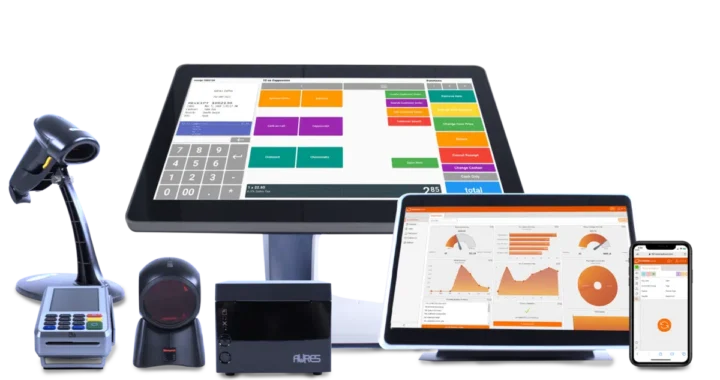
A complete checkout setup may include several components beyond the primary terminal. Depending on the store’s workflow, businesses may need:
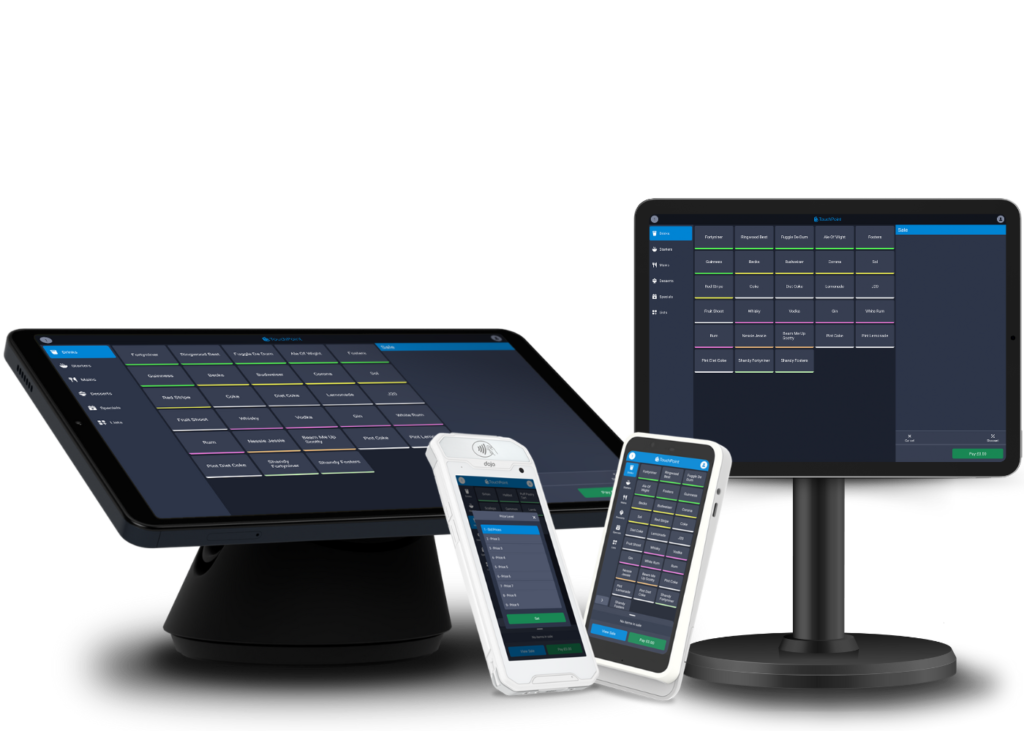
- Touchscreen POS terminals
- Barcode scanners
- Receipt printers
- Cash drawers
- Payment terminals
- Customer-facing displays
- Additional networking or connectivity equipment
The exact combination should be based on how employees and customers will interact with the checkout area.
Consider the Store Layout
Physical layout can influence the type and configuration of POS equipment required. A small shop may need a compact countertop solution, while a larger retail location may require multiple checkout stations.
Measure available counter space and plan cable routes before installation. A well-designed layout can make equipment easier to access while leaving sufficient room for products and customer interactions.
Evaluate Software and Peripheral Compatibility
POS hardware must work with the software that manages transactions and other business processes. Before deployment, businesses should verify compatibility between the ComPOSxb setup, POS software, payment solutions, scanners, printers, and other peripherals.
Compatibility checks are particularly important when integrating equipment from different manufacturers or upgrading an existing system during expansion.
Plan for Multiple Locations
Businesses expanding into several locations should consider whether their POS setup can be standardized. Using consistent hardware configurations can make employee training, maintenance, and troubleshooting more manageable.
A standardized approach can also simplify procurement and replacement when equipment needs to be added or moved between stores.
Consider Future Expansion
New store projects should account for potential growth. A business may add checkout stations, introduce new payment methods, increase inventory, or expand its workforce over time.
Selecting equipment with suitable connectivity and expansion options can make future upgrades easier. This can be more practical than choosing a system that only meets the store’s immediate requirements.
Review Payment Requirements
Customers may expect several payment options, including cards, contactless transactions, and mobile wallets. The appropriate payment capabilities will depend on the business and its target market.
Businesses should confirm that the selected payment hardware works with their payment-processing arrangements before completing the installation.
Assess Employee Usability
Employees will interact with POS equipment throughout every shift. A system should therefore be straightforward to operate and arranged to support the actual checkout workflow.
Test common tasks such as scanning products, modifying transactions, processing payments, printing receipts, and handling returns. Practical testing can identify workflow issues before the store opens.
Examine Reliability and Maintenance
New stores need dependable equipment from the beginning because POS problems can disrupt operations and affect customer experience. Businesses should consider hardware durability, maintenance requirements, warranty coverage, and replacement procedures.
It is also useful to establish a process for troubleshooting equipment and keeping records of installed devices. These steps can make future service work more organized.
Calculate the Total Cost
The initial hardware price is only one part of a POS investment. Businesses should also consider installation, accessories, maintenance, replacement parts, software requirements, and potential downtime.
Comparing the expected total cost over the equipment’s useful life can provide a better basis for deciding whether a particular configuration fits the expansion budget.
Test Before Opening
A full system test should be completed before a new store begins serving customers. Employees can run sample transactions and confirm that all connected components work correctly.
Testing should cover payment processing, barcode scanning, receipt printing, cash handling, networking, and any integrations that are essential to daily operations.
Create a Deployment Checklist
A structured installation checklist can help ensure that nothing is overlooked during a new store project. It can include:
- Confirming hardware quantities and models.
- Checking software and peripheral compatibility.
- Preparing network and power connections.
- Installing and positioning equipment.
- Testing complete transaction workflows.
- Training employees.
- Recording device and warranty information.
This approach can make deployment more consistent, particularly when several stores are being opened or upgraded at the same time.
Conclusion
Evaluating ComPOSxb for a new store or business expansion should involve more than reviewing individual hardware specifications. Businesses should consider transaction volume, store layout, software compatibility, payment requirements, employee usability, reliability, maintenance, scalability, and total cost.
A carefully planned POS configuration can provide a stronger foundation for a new location and make future expansion easier to manage. By testing the complete setup before opening and planning for changing requirements, businesses can create a checkout environment that supports both current operations and long-term growth.