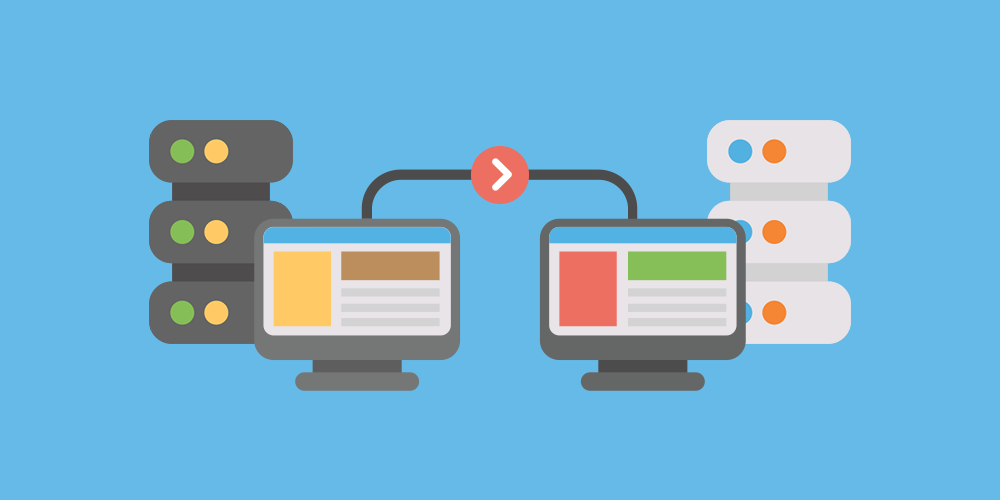
Moving a website to a new hosting provider, domain, content management system, or server environment can improve performance, security, and scalability. However, website migration involves more than transferring files from one location to another. Important data, databases, images, user accounts, website functionality, and search engine visibility must all be handled carefully to prevent disruptions.
A well-planned Website Migration Service can help businesses move their websites while reducing the risk of data loss, broken links, downtime, and technical errors. Whether you are changing hosting providers or rebuilding your website on a different platform, following a structured migration process helps protect your existing content and maintain a consistent experience for visitors.
Understand What Website Migration Involves
Website migration refers to moving a website from one environment to another or making significant changes to its underlying structure. The exact process depends on the type of migration and the technology involved.
Common types of website migration include:
- Hosting migration: Moving website files and databases to a new hosting provider or server.
- Domain migration: Changing the website’s domain name while preserving its content and search visibility.
- Platform migration: Moving from one content management system to another, such as transitioning to WordPress.
- Website redesign migration: Rebuilding a website with a new theme, layout, or architecture.
- HTTPS migration: Moving a website from HTTP to HTTPS to secure connections.
- Server migration: Moving to a different server configuration to improve performance, reliability, or capacity.
Each migration type presents different challenges. A simple hosting change may require transferring files and databases, while a platform migration may involve restructuring content, rebuilding features, and mapping existing URLs to new destinations.
Understanding the scope of the project helps you identify which data needs protection and which checks must be completed before the new website goes live.
Create a Complete Website Backup Before Moving
A reliable backup is one of the most important safeguards in any website migration. If files become corrupted, a database import fails, or the new environment does not work as expected, a backup provides a way to restore the original website.
Before starting the migration, create a complete copy of your website and verify that the backup can be accessed and restored.
For a typical WordPress website, the backup should include:
- Website files, including themes, plugins, and uploads.
- The WordPress database, containing posts, pages, settings, and other stored information.
- Custom code and configuration files.
- Relevant media files, such as images, videos, and downloadable documents.
- User accounts and associated website data.
- Important server and application configuration details.
You should also confirm whether email accounts, DNS records, scheduled tasks, and third-party integrations are part of the migration scope. These elements may require separate handling.
Whenever possible, store a copy of the backup in a secure location outside the existing hosting environment. This reduces the risk of losing both the original website and its backup if the old server becomes unavailable.
Audit Your Website Before Migration
Before transferring anything, review your current website to understand its structure and identify important features that must continue working.
Start by listing key pages, blog posts, images, downloadable files, forms, plugins, and integrations. For larger websites, a crawl or automated audit can help identify existing URLs and technical problems.
Pay special attention to:
- Pages that receive significant organic traffic.
- Landing pages used in advertising campaigns.
- Forms that collect customer inquiries.
- E-commerce product pages and checkout functionality.
- Membership areas and user login systems.
- Frequently downloaded documents.
- Third-party tools connected to your website.
This audit provides a reference point for checking the migrated website later. It also helps identify outdated content, unnecessary plugins, and broken links that can be addressed before the move.
If the website contains customer records, orders, or membership information, determine how that data will be transferred and validated. For a busy website, new information may continue to be created during migration, so a plan is needed to prevent recent transactions or submissions from being lost.
Choose the Right Hosting Environment
The destination hosting environment can affect how smoothly the migration proceeds. Before moving the website, confirm that the new provider supports the technologies and resources your site requires.
Check the supported PHP version, database system, storage capacity, memory limits, SSL certificate options, and any platform-specific requirements. If your website relies on specialized software or integrations, verify compatibility before transferring the files.
You should also consider performance, security, backup availability, technical support, and expected traffic levels. Selecting a hosting plan that cannot support your website’s needs may create problems shortly after migration.
If you are moving to a different server configuration, test the application in the new environment before switching your domain or directing visitors to the destination website. This provides an opportunity to identify configuration issues while the original website remains available.
Transfer Website Files and Databases Carefully
Once backups and compatibility checks are complete, the next step is transferring the website’s data.
For a typical content management system, this usually involves copying application files, exporting the database, importing the database into the destination environment, and updating the relevant configuration settings.
The exact process varies by platform and hosting provider. Some providers offer migration tools, while other projects require manual transfers or specialist assistance.
During the transfer, keep the following precautions in mind:
- Confirm that all required files have been copied.
- Check that the database export and import complete successfully.
- Verify database connection settings and permissions.
- Preserve uploaded media and custom assets.
- Review file ownership and server permissions.
- Avoid making conflicting changes to the original and migrated websites.
For WordPress sites, configuration details such as database credentials, site URLs, and server settings may need attention. A domain change may also require updating stored references to the old address, using a method that correctly handles serialized data where applicable.
Do not delete the original website immediately after transferring the files. Keep it available until the new version has been thoroughly tested and the migration is confirmed to be successful.
Protect Your Website Content and Customer Data
Data integrity should remain a priority throughout the migration process. A website may appear to load correctly while still missing important records, media files, or functionality.
After transferring the data, compare the destination website with the original. Check page counts, recent posts, media libraries, user accounts, product records, and other relevant information.
For e-commerce websites, verify product details, inventory information, customer records, order history, and payment-related settings. Sensitive information should be handled through secure transfer methods and appropriate access controls.
For websites that accept bookings, registrations, or form submissions, consider how new records will be captured during the migration window. Depending on the platform, you may need a brief maintenance period, a final database synchronization, or another method of reconciling new data.
Restrict access to backups and migration credentials, and avoid sharing sensitive information through unsecured channels. If the website stores personal or regulated data, make sure the migration process follows the applicable privacy and security requirements.
Test the Website Before Changing DNS Settings
Testing the migrated website before directing visitors to it helps reduce the risk of downtime and unexpected errors.
Whenever possible, use a staging environment or temporary preview address to inspect the new website while the original remains live. Some hosting environments also allow local previewing through a hosts-file adjustment or another controlled method.
Test the following areas before launch:
- Homepage, important landing pages, and navigation.
- Images, videos, downloads, and other media.
- Contact forms and email notifications.
- Login, registration, and password recovery.
- Shopping carts, checkout steps, and payment integrations.
- Search functionality and interactive features.
- Mobile layouts and common browser behavior.
- HTTPS certificates and mixed-content issues.
- Redirects, canonical tags, and important metadata.
Also review error logs and server responses for problems that may not be visible during normal browsing.
For websites with significant traffic or complex functionality, testing should include the workflows that matter most to the business. Resolving issues before the DNS switch makes the launch more predictable.
Manage DNS Changes and Minimize Downtime
After the destination website passes testing, the domain can be directed to the new environment when the migration requires a DNS change.
DNS records determine where visitors and other services connect. Incorrect settings can make the website unavailable or disrupt related services such as email.
Before making changes, document the existing DNS configuration. Confirm which records need to change and which must remain in place, including records for email, verification services, subdomains, and other integrations.
If appropriate, lowering the DNS time to live (TTL) in advance can help changes take effect more quickly for some users. However, DNS caching behavior varies, and this does not guarantee an immediate or universal switch.
For websites that cannot afford extended downtime, schedule the migration during a quieter period and prepare a rollback plan. Keep the old hosting environment available until traffic is reaching the new website reliably and critical functions have been verified.
Once the migration is complete, monitor availability, server errors, forms, transactions, and other essential functions closely.
Preserve SEO Rankings During Website Migration
Website migration can affect search visibility if URLs change, important content disappears, or search engines cannot access the new pages. Careful planning helps reduce these risks.
Before the migration, record your existing URL structure and identify pages that attract organic traffic or valuable backlinks. If URLs change, map each important old URL to the most relevant new destination.
Use permanent redirects, typically HTTP 301 redirects, when pages have genuinely moved permanently. Avoid redirecting every old URL to the homepage, because that can confuse visitors and search engines when the destinations are not relevant.
After launch, review these SEO elements:
- Confirm that important pages return the correct HTTP status codes.
- Test redirects and identify redirect chains or loops.
- Check canonical tags and robots directives.
- Verify that the XML sitemap contains the intended URLs.
- Make sure important pages are not accidentally blocked from crawling.
- Update internal links where necessary.
- Verify the website in Google Search Console when applicable.
- Monitor indexing, organic traffic, and crawl errors after the move.
A temporary fluctuation in search performance can occur during migration, particularly when domains or site structures change. Monitoring the website over the following weeks helps identify problems that require further investigation.
Monitor the Website After Migration
Completing the transfer does not mean every migration issue has been resolved. Some problems emerge only after real visitors begin using the website or automated systems start interacting with it.
Monitor website availability, page speed, server logs, error reports, analytics, and important conversion paths. Check whether forms are delivering messages, transactions are being recorded, and third-party integrations are operating as expected.
Compare the migrated website with the baseline data collected before the move. This makes it easier to identify missing pages, unusual traffic changes, and unexpected technical behavior.
You should also confirm that automated backups are running in the new environment and that the backup restoration process is understood. Once the new website has operated reliably and rollback is no longer necessary, you can plan the retirement of the old hosting environment.
Keep records of the migration date, configuration changes, redirects, and any issues resolved. This documentation can be useful for future troubleshooting and maintenance.
Common Website Migration Mistakes to Avoid
Even well-planned migrations can encounter problems, but several common mistakes are preventable.
Skipping backups: Transferring a website without a verified backup leaves you with fewer recovery options if something fails.
Forgetting hidden website components: Missing configuration files, scheduled tasks, custom code, or integrations can cause problems even when the main pages load.
Changing DNS too early: Directing visitors to an untested environment can create avoidable downtime and functionality issues.
Ignoring URL changes: Failing to configure relevant redirects may result in broken links and lost search traffic.
Overlooking email records: Changing hosting or DNS settings without reviewing email configuration can disrupt business communications.
Deleting the original website immediately: Removing the old environment before verification makes rollback more difficult.
Failing to test real workflows: A website may look correct while forms, checkout processes, or login features remain broken.
Following a documented migration checklist helps teams catch these issues before they affect visitors or business operations.
When to Consider Professional Website Migration Support
Some website migrations are relatively straightforward, particularly when the website is small and the hosting provider offers a reliable migration process. More complex projects may require additional planning and technical expertise.
Professional assistance can be particularly useful when your website includes a large database, custom functionality, an online store, membership accounts, multiple integrations, or significant organic search traffic.
A specialist can help assess the existing environment, create a migration plan, transfer files and data, configure redirects, test functionality, and troubleshoot unexpected problems. They can also coordinate the transition to reduce disruption to customers and employees.
Before hiring a provider, ask about their migration process, backup procedures, testing methods, security practices, and rollback strategy. Confirm what the service includes and whether post-migration troubleshooting is covered.
Move Your Website With Confidence
A successful website migration depends on preparation, secure data handling, thorough testing, and careful monitoring. Creating reliable backups, auditing existing content, validating the destination environment, and protecting important URLs all help reduce the risk of data loss and disruption.
Whether you are changing hosting providers, moving to a new domain, or rebuilding your website on another platform, treat the migration as a structured project rather than a simple file transfer. Verify the critical details before launch and keep a recovery plan available until the new website is operating reliably.
With a clear process and the right technical support, you can move your website while protecting essential information, maintaining important functionality, and giving visitors a consistent experience.