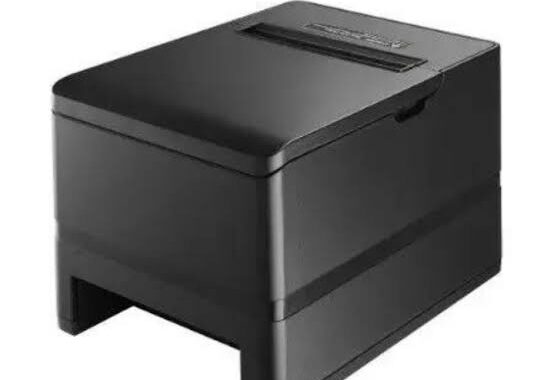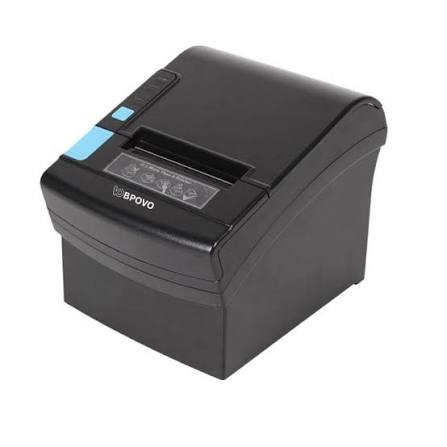
Receipt printers are essential devices in many businesses that process customer payments and need to provide accurate transaction records. Retail stores, restaurants, supermarkets, pharmacies, and service providers use them to print purchase details, payment confirmations, and other transaction-related information. As businesses adopt modern point-of-sale (POS) systems, receipt printers continue to play an important role in maintaining efficient checkout operations.
Although digital payment methods and electronic receipts are becoming more common, printed transaction records remain valuable in many industries. A Receipt Printer allows businesses to generate physical proof of purchase quickly and consistently. Understanding how these devices work, their different types, and their practical applications can help organizations select suitable printing equipment for their daily operations.
What Is a Receipt Printer?
A receipt printer is a specialized printing device designed to produce transaction records for customers and businesses. Unlike standard office printers, which are generally used for documents and larger printing tasks, receipt printers are optimized for narrow paper rolls and short transaction summaries.
A typical receipt may contain:
- Business name and contact information.
- Purchase date and transaction number.
- Product or service descriptions.
- Item quantities and prices.
- Discounts and applicable taxes.
- Payment method and transaction total.
- Return policies or customer service details.
Receipt printers are commonly connected to POS terminals, computers, cash registers, or compatible mobile devices. Once a transaction is completed, the POS software sends the relevant information to the printer, which produces the receipt automatically.
How Does a Receipt Printer Work?
The operation of a receipt printer depends on its printing technology. Thermal printing is widely used in modern POS environments because it offers relatively fast output without requiring traditional ink cartridges or toner.
Direct Thermal Printing
Direct thermal printers use a heat-sensitive paper coating to create text and images. A thermal print head applies controlled heat to selected areas of the paper, causing them to change color and form the required content.
This process offers several practical advantages:
- No ink cartridges or ribbons are needed.
- Printing can be fast and quiet.
- The mechanism can be compact.
- Routine consumable management is relatively simple.
- The technology is suitable for frequent transaction printing.
However, thermal paper can be affected by heat, sunlight, friction, and certain storage conditions. Businesses that need to retain transaction records for extended periods should consider appropriate document-storage practices.
Impact Printing
Impact receipt printers use a print head that physically strikes an ink ribbon against paper. This method can be useful in environments that require multi-part forms or duplicate copies.
Although impact printers may be appropriate for specific applications, they are generally noisier than thermal models and require ribbon replacement. Businesses should compare both technologies according to their printing requirements.
Different Types of Receipt Printers
Receipt printers are available in several configurations to support different business environments. Understanding the main types helps organizations identify equipment that matches their transaction volume and installation requirements.
Thermal Receipt Printers
Thermal receipt printers are commonly used in retail stores, restaurants, supermarkets, and other POS environments. They produce text through heat-sensitive paper and do not require traditional ink supplies.
Their compact design and relatively fast printing make them suitable for many everyday transaction applications.
Impact Receipt Printers
Impact printers use mechanical printing mechanisms and ink ribbons. They are often considered for applications where duplicate copies or multi-part forms are necessary.
Businesses should evaluate their noise levels, maintenance requirements, and printing speed before choosing this technology.
Mobile Receipt Printers
Mobile receipt printers are designed for portable transaction environments. They may connect to compatible smartphones, tablets, or mobile POS terminals through Bluetooth or other supported interfaces.
These devices can be useful for delivery services, outdoor sales, transportation, and businesses that process payments away from fixed checkout counters.
Desktop Receipt Printers
Desktop models are commonly installed at fixed checkout stations and service counters. They are designed to connect with POS equipment and provide regular transaction printing.
Their suitability depends on printing speed, paper capacity, connectivity, and the expected daily workload.
Why Receipt Printers Are Important for Modern Businesses
Receipt printers support several important business activities beyond simply producing purchase summaries. Their role extends to transaction documentation, customer service, operational efficiency, and financial recordkeeping.
Providing Proof of Purchase
A printed receipt gives customers a physical record of completed transactions. It can help them verify purchase details, review charges, and provide evidence when requesting returns or exchanges.
For businesses, receipts also create a reference that employees can use when responding to customer questions.
Improving Checkout Efficiency
Automated receipt printing helps reduce the need for employees to prepare transaction records manually. When integrated with a POS system, the printer receives transaction information directly and produces the receipt after payment processing.
This can simplify checkout procedures and help employees serve customers more efficiently, particularly during busy periods.
Supporting Accurate Transaction Records
Receipts contain useful information about sales, prices, taxes, discounts, and payment methods. These records can support daily reconciliation, bookkeeping, and transaction verification.
When combined with POS software, printed receipts can also correspond with digital transaction records, making it easier to review business activities.
Enhancing Customer Service
Clear and accurate receipts help customers understand what they purchased and how much they paid. They can also include relevant information such as business contact details, return policies, and transaction references.
Providing this information at the end of a purchase contributes to a more organized customer experience.
Common Applications Across Different Industries
Receipt printers are used in a wide range of industries because transaction documentation is a routine requirement for many businesses.
Retail Stores and Supermarkets
Retailers use receipt printers to generate purchase summaries containing item descriptions, quantities, discounts, and taxes. Supermarkets may require equipment that can handle frequent transactions throughout the day.
Restaurants and Cafés
Restaurants use receipt printers to produce customer bills and payment records. Depending on the POS configuration, printers may also support order-management workflows by sending information to kitchen or service stations.
Pharmacies
Pharmacies issue receipts containing product details, prices, and payment information. These records help customers review purchases and support routine business administration.
Hotels and Hospitality Businesses
Hotels may use receipt printers at reception desks, restaurants, and other service areas. They help generate payment confirmations and billing records for different guest services.
Transportation and Delivery Services
Mobile receipt printers can support businesses that collect payments outside traditional checkout environments. Delivery personnel and field-service employees may use portable devices to provide transaction records directly to customers.
Important Features to Consider When Choosing a Receipt Printer
Selecting suitable printing equipment requires an understanding of both technical specifications and business requirements.
Printing Speed
Printing speed determines how quickly the device produces receipts. Businesses with high transaction volumes may need faster models to help maintain smooth checkout operations.
However, speed should be evaluated alongside output quality and expected workload.
Print Resolution
Resolution affects the clarity of text, numbers, symbols, and barcodes. Clear printing is important because customers and employees must be able to read transaction details accurately.
Connectivity Options
Receipt printers may support different interfaces, including USB, Ethernet, serial, Bluetooth, and Wi-Fi. The appropriate option depends on the POS system, installation environment, and whether the printer will be used at a fixed or mobile station.
Paper Compatibility
Paper width, roll diameter, thickness, and core dimensions determine whether a receipt roll is suitable for a particular printer. Businesses should check the manufacturer’s specifications before purchasing paper supplies.
Size and Installation
Compact printers can be useful in environments with limited counter space. Businesses should measure the available installation area and consider access to power, cables, and paper compartments.
Software Compatibility
A receipt printer must work with the business’s operating system and POS application. Checking driver availability and supported printing commands can help prevent installation and communication problems.
The Role of POS Integration in Receipt Printing
Modern POS systems connect payment processing, sales management, inventory records, and customer transactions. Receipt printers function as output devices within this broader setup.
When a customer completes a purchase, the POS application processes the transaction and sends the required information to the printer. The device then generates a receipt based on the configured format.
This integration can reduce manual data entry and improve consistency across transactions. Businesses operating multiple checkout stations should also consider whether their printing equipment supports the network configuration required by their POS infrastructure.
Maintenance Practices for Reliable Performance
Regular maintenance helps receipt printers maintain consistent output and reduces the risk of avoidable interruptions.
Businesses can follow these practices:
- Clean the print head according to the manufacturer’s instructions.
- Remove dust and paper residue from the paper compartment.
- Use compatible paper rolls.
- Inspect power and data cables regularly.
- Replace damaged components when necessary.
- Keep drivers and firmware updated where applicable.
- Train employees to replace paper rolls and clear minor jams safely.
Following appropriate maintenance procedures can help extend equipment service life and maintain printing quality.
Printed Receipts and the Growth of Digital Transactions
Digital payments, mobile wallets, and electronic receipts have changed how businesses manage customer transactions. Some organizations now offer customers a choice between printed and electronic records.
However, printed receipts continue to serve important purposes. Customers may prefer physical proof of purchase, while businesses may need printed records for certain service procedures or customer-facing applications.
Rather than viewing digital and printed receipts as competing solutions, many organizations can use both. This approach allows businesses to accommodate different customer preferences while maintaining digital transaction records through their POS systems.
Conclusion
Receipt printers are important tools for modern businesses because they support transaction documentation, customer service, and efficient checkout operations. From thermal and impact printers to portable and desktop models, different configurations serve the needs of various industries.
Choosing the right equipment involves evaluating printing technology, speed, resolution, connectivity, paper compatibility, software support, and maintenance requirements. By understanding these factors, businesses can select a receipt printing solution that fits their operational environment and supports accurate daily transactions.